

 Verified
How to Check Telenor Package. If you want to know how to check your Telenor package, you can dial a USSD code or use the My Telenor App. These methods help you check your active package, remaining internet MBs, call minutes, SMS, and package validity.
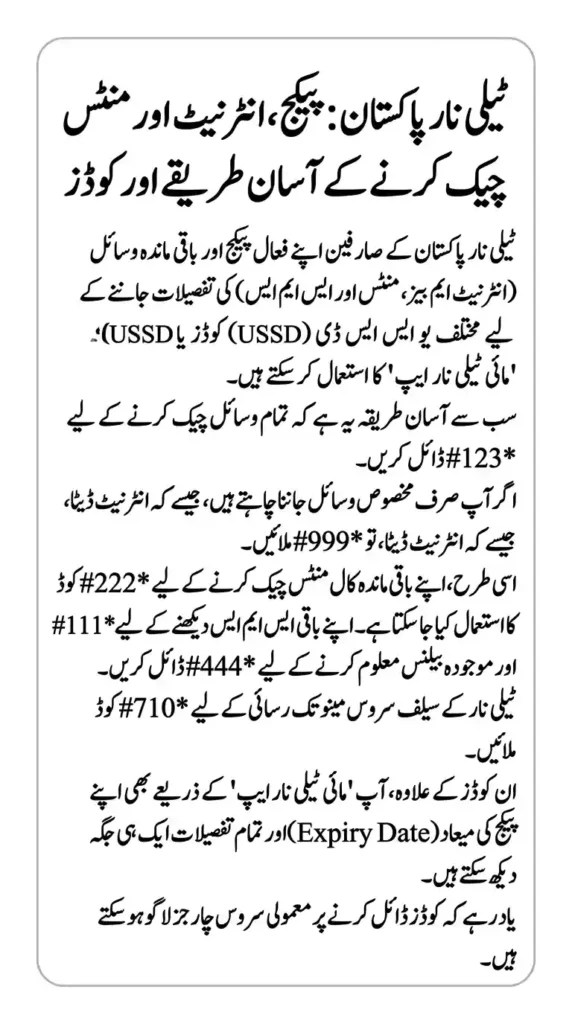
The easiest method is to dial *123# to check your remaining bundle resources. If you want to check a specific resource, such as internet MBs or call minutes, you can use the relevant code listed below.
Telenor Package Check Code
Telenor provides different codes for checking package resources. Here are the main codes you can use.
| Service | Telenor Check Code |
|---|---|
| Remaining package resources | *123# |
| Remaining internet MBs | *999# |
| Remaining call minutes | *222# |
| Remaining SMS | *111# |
| Remaining balance | *444# |
| Telenor self-service menu | *710# |
These codes are listed in Telenor’s official offer information and self-service guide. Charges may apply when you check your resources, so confirm the latest charges before dialling.
How to Check Telenor Package Using Code
Follow these simple steps to check your Telenor package:
- Open the phone dialer on your mobile.
- Dial
*123#using your Telenor SIM. - Press the call button.
- Follow any instructions displayed on your screen.
- Check the remaining resources of your active bundle.
This method is useful when you want to know how many MBs, minutes, or SMS are left in your package.
If the code does not show your package information, use the My Telenor App or dial *710# to access the self-service menu.
How to Check Telenor Remaining MBs
To check your remaining Telenor internet MBs, dial *999# from your Telenor number.
After dialling the code, follow the instructions on your screen to view your remaining data resources. This helps you know how much internet data is left before your package expires.

You can also open the My Telenor App to view your package information and available internet resources.
How to Check Telenor Remaining Minutes
If you want to check your remaining call minutes, dial *222# from your Telenor SIM.
This code is listed in Telenor’s self-service information for checking remaining voice resources. It can help you check your available calling minutes before making more calls.

If you have subscribed to multiple offers, check your bundle details to understand which minutes are included and when they expire.
How to Check Telenor Remaining SMS
To check your remaining SMS, dial *111# from your Telenor number.
Follow the on-screen instructions to view the available SMS resources. The number of remaining messages depends on your active package and its terms.
Remember that the resource-checking code may carry a small service charge.
How to Check Telenor Package Through the My Telenor App
You can also check your active package through the My Telenor App without remembering separate codes.

Follow these steps:
- Install or open the My Telenor App.
- Sign in using your Telenor mobile number.
- Open the home screen or package details section.
- Check your active offer and remaining resources.
- Review the package validity and other available details.
The app is useful if you want to manage your packages and monitor your usage in one place. Make sure you use the official app.
How to Check Telenor Package Expiry Date
To find out when your Telenor package will expire, dial *123# or open the My Telenor App and review your active bundle details.
The displayed information may include remaining resources and validity, depending on your offer. If the expiry date is not shown, check the package details in the app or visit Telenor’s official website.
Checking validity regularly can help you avoid unexpected charges after your bundle expires.
Frequently Asked Questions
What is the Telenor package check code?
Dial *123# to check remaining bundle resources. You can also use the My Telenor App.
How can I check Telenor remaining MBs?
Dial *999# from your Telenor SIM to check remaining internet data.

How can I check Telenor remaining minutes?
Dial *222# to check your remaining call resources.
How can I check Telenor remaining SMS?
Dial *111# to check remaining SMS resources.
Is the Telenor package check code free?
Charges may apply to resource-checking codes. Check the latest terms on Telenor’s official website before using them.
Conclusion
Checking your Telenor package is simple. Dial *123# to check your remaining bundle resources, *999# for internet MBs, *222# for minutes, and *111# for SMS. You can also use the My Telenor App to view your active package and validity.
For the latest codes and charges, visit the official Telenor website.
Categories
 Verified Author
Join The 5G Community
Get exclusive updates, device reviews, and expert insights directly from Pakistan’s 5G ecosystem.