

 Verified
The Ufone eSIM price in Pakistan is Rs. 1,500 in 2026 for both new eSIM activation and converting an existing Ufone SIM to eSIM. This price is listed on Ufone’s official website and matches the maximum fee introduced under PTA’s revised eSIM pricing policy on August 17, 2026.
You can get a Ufone eSIM from an authorized Ufone Service Centre, franchise, or supported self-service booth. You must have an eSIM-compatible phone and complete biometric verification.
Ufone eSIM Price in Pakistan 2026
Here are the latest charges and important details.
| Service | Price or Requirement |
|---|---|
| New Ufone eSIM | Rs. 1,500 eSIM fee |
| Physical SIM to eSIM | Rs. 1,500 |
| eSIM transfer to another phone | Free for up to 10 transfers under PTA policy |
| Biometric verification | Required |
| Activation method | QR code |
| Where to apply | Ufone Service Centre, franchise or supported booth |
| Existing Ufone number | Can be kept |
Important: Ufone’s official eSIM page currently shows Rs. 1,500 in its main pricing section. However, some older FAQ and Terms text still mentions Rs. 2,000.
PTA’s revised policy sets the maximum initial eSIM issuance or conversion fee at Rs. 1,500. Ask the representative to confirm the charges before making payment. A new phone number or special number may have separate applicable charges.
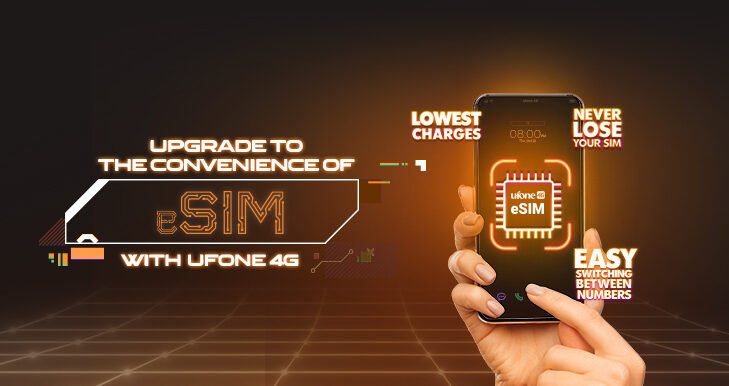
How to Convert Ufone SIM to eSIM
If you already use a Ufone SIM, you can convert it to eSIM without changing your mobile number.
Follow these steps:
- Check that your phone supports eSIM.
- Visit your nearest authorized Ufone Service Centre or franchise.
- Bring your original CNIC.
- Ask the representative to convert your existing SIM to eSIM.
- Complete biometric verification.
- Pay the applicable conversion fee.
- Receive your eSIM QR code.
- Scan the code through your phone settings.
Once your eSIM is activated, your old physical SIM will no longer work for the converted number. Your existing mobile number and applicable services remain associated with your connection.

Official Ufone eSIM page: https://www.ufone.com/esim/
How to Activate Ufone eSIM on iPhone
After receiving your QR code, follow these steps:
- Connect your iPhone to Wi-Fi.
- Open Settings.
- Tap Cellular or Mobile Service.
- Select Add eSIM.
- Choose the QR code option.
- Scan the QR code provided by Ufone.
- Follow the instructions to finish activation.
After activation, check your mobile signal, calls, SMS, and internet connection.
How to Activate Ufone eSIM on Samsung or Android
The process is similar on Android phones, but menu names may vary.
For many supported Samsung phones:
- Open Settings.
- Go to Connections.
- Select SIM Manager.
- Tap Add eSIM.
- Scan the Ufone QR code.
- Complete the setup.
On other Android phones, look for the eSIM option under Network & Internet or SIM Settings.
Which Phones Support Ufone eSIM?
Ufone eSIM works only on compatible smartphones. Popular supported device families include:

| Brand | Examples |
|---|---|
| Apple | iPhone XS, XR, 11 and many newer models |
| Samsung | Selected Galaxy S, Z Fold and Z Flip models |
| Selected Pixel smartphones | |
| Huawei | Selected P and Mate series models |
| Oppo | Selected eSIM-enabled models |
Note: Not every model or regional version supports eSIM. Check your phone’s exact specifications before paying for a new Ufone eSIM.
You can also open your phone settings and look for Add eSIM or SIM Manager. The presence of this option is a useful first check, but does not guarantee Ufone compatibility.
Check Also : Zong eSIM Price
Can You Transfer Ufone eSIM to Another Phone?
Yes. PTA’s revised policy provides up to 10 free eSIM profile transfers between compatible devices.
However, the process may depend on Ufone’s activation system and the phones involved.
Before changing phones, confirm whether your existing QR code can be reused or whether Ufone needs to issue another activation method.
Do not remove your active eSIM profile until you know how the transfer will work.
Does Ufone eSIM Work on Non-PTA Phones?
An eSIM does not bypass PTA mobile registration requirements.
If your phone is not registered or its IMEI is blocked, changing from a physical SIM to eSIM will not solve the problem.

Before purchasing an eSIM, check your phone’s IMEI registration status through PTA’s official system.
Also, Ufone states that carrier-locked phones are not supported for its eSIM activation.
What If a Ufone Franchise Asks for Rs. 2,000?
This is an important issue because Ufone’s official website still contains conflicting price information.
Its main eSIM price section shows Rs. 1,500, while some older text still shows Rs. 2,000.
If a representative quotes Rs. 2,000 for the basic eSIM issuance or conversion fee:
- Ask for a breakdown of the charges.
- Show the Rs. 1,500 price on Ufone’s official eSIM page.
- Ask whether any separate number-related charges apply.
- Request confirmation before paying.
The PTA’s revised maximum issuance and conversion fee is Rs. 1,500.
Final Answer
The Ufone eSIM price in Pakistan is Rs. 1,500 in 2026, whether you want a new eSIM or wish to convert an existing Ufone SIM. You need a compatible phone, your original CNIC and biometric verification at an authorized Ufone outlet. Before visiting, check Ufone’s official eSIM page for the latest instructions and confirm any separate charges for a new number.
Last verified: October 22, 2026 Sources: Ufone official eSIM information and PTA’s August 2026 pricing update.
Frequently Asked Questions
What is the Ufone eSIM price in Pakistan in 2026?
Ufone lists Rs. 1,500 for a new eSIM or conversion from a physical Ufone SIM. This matches PTA’s revised eSIM fee cap.
Can I change my Ufone SIM to eSIM?
Yes. Visit an authorized Ufone outlet, complete biometric verification, and request conversion of your existing number.
Is Ufone eSIM available online?
Ufone’s published activation process requires biometric verification and provides the eSIM QR code through supported Ufone service locations. Do not assume you can complete the full process remotely.
 What Exactly Does 5G Do? Explained Simply
Can I use two SIMs with Ufone eSIM?
Many compatible phones allow an eSIM and a physical SIM to be used together. The number of active connections depends on your phone.
Does Ufone eSIM support 5G?
An eSIM does not automatically enable 5G. You need a supported 5G phone, an eligible connection and active 5G coverage.
Does Ufone eSIM support Apple Watch?
Ufone’s published FAQ states that its eSIM does not currently support Apple Watch cellular service.
Categories
 Verified Author
Join The 5G Community
Get exclusive updates, device reviews, and expert insights directly from Pakistan’s 5G ecosystem.